Android app
Download the CallCenter CRM app
The NSSSoft agent app for your call center team. Agents sign in with their dialer username and password, then call leads, update the CRM and log outcomes from their phone.
Version 1.0.0 · 39 MB · Android 7.0 or newer · Updated 19 November 2026
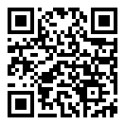
Scan with your Android phone
How to install
- On your Android phone, tap Download APK above.
- Open the downloaded file from the notification bar or your Downloads folder.
- If Android asks, allow your browser to install unknown apps, then go back.
- Tap Install. If Play Protect shows a warning, tap More details → Install anyway.
- Open CallCenter CRM and sign in with the username and password your administrator gave you.
What agents can do
- See your leads and today's callbacks
- Call a customer with one tap
- Fill the call form and choose the outcome after every call
- Check your call history and take breaks
Calls ring on the agent's own mobile number. Your administrator sets this once in the dialer panel (Users → ring device: Mobile).
iPhone or computer?
Use the web app at app.nsssoft.in in your browser. It has the same features plus a built-in softphone.
Need help?
Call or WhatsApp +91 98991 52832
Check your download: the APK's SHA-256 is 3e0c354a97e8db4625a1f616b35cc961e682c29d43515c021f7e4bbd7e3276c2